
What Is CarPlay and How Does It Work?
As technology becomes increasingly integrated into our lives, in-car entertainment and information systems continue to evolve rapidly. Being able to use the apps on our smartphones safely and conveniently on a car’s multimedia screen significantly improves the driving experience. This is exactly where Apple CarPlay comes into play. So, what is CarPlay? How does it work? What features does it offer, and how does it transform your in-car experience? In this article, you will find detailed answers to all these questions.
What Is CarPlay?
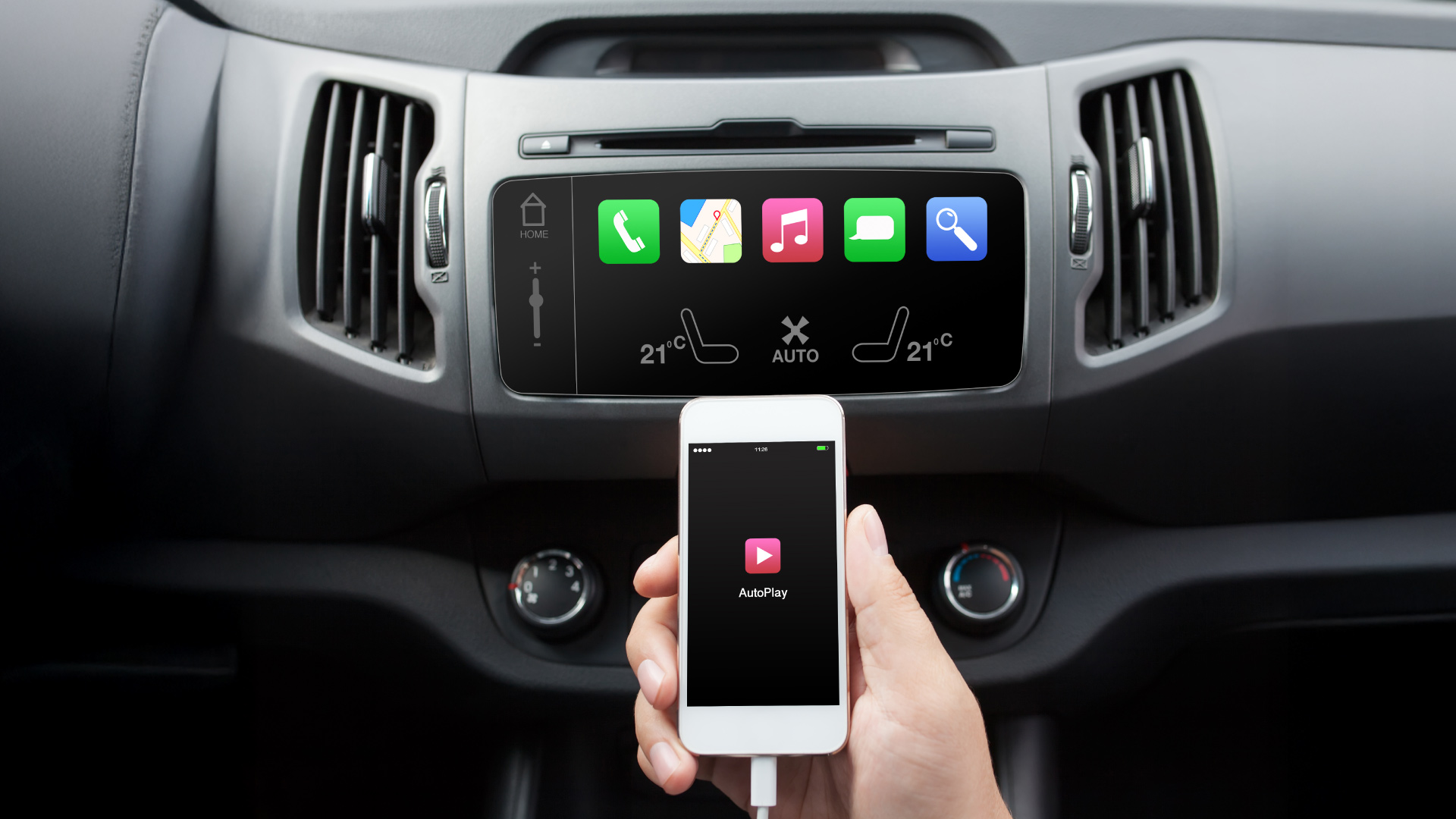
CarPlay is a technology developed by Apple that allows you to mirror key functions of your iPhone onto your vehicle’s infotainment screen. This enables you to use apps, maps, music, messages, and calls directly through the car’s multimedia interface. The primary goal of CarPlay is to prevent driver distraction and make phone use safer while driving. It is designed to allow iPhone users to stay connected to the digital world without compromising safety on the road.
What Does the CarPlay Screen Do?
The CarPlay screen allows you to interact with your iPhone through the vehicle’s touchscreen or physical controls. The phone’s interface appears in a simplified, safety-focused layout optimized for in-car use. Through this screen, you can navigate using maps, play your favorite music, read incoming messages, or make calls via voice commands.
Many third-party apps also support CarPlay. The system enables drivers to use numerous smartphone features without taking their hands off the wheel or eyes off the road.
Key Features of CarPlay
CarPlay includes a wide range of features designed to enhance driving comfort and safety:
1. Navigation
Apple Maps provides real-time traffic updates, road conditions, and alternative routes. Voice guidance helps ensure safer navigation while driving.
2. Music and Entertainment
CarPlay supports Apple Music, Spotify, and similar platforms. You can easily access playlists, albums, and podcasts. Audiobook listeners also benefit from broad app compatibility.
3. Siri Integration
With Siri, CarPlay offers full voice control. You can send messages, listen to incoming messages, make calls, or check the weather—all without touching your phone. This minimizes distraction and promotes safer driving.
What Is CarPlay Used For?
CarPlay’s main purpose is to allow drivers to access essential iPhone functions safely and easily while driving. Without physically touching your phone, you can:
Use navigation
Make calls
Send and receive messages
Listen to music or podcasts
Especially in heavy traffic or on long journeys, the convenience CarPlay provides becomes even more noticeable.
How to Use CarPlay
To start using CarPlay, your vehicle must support the feature. Once confirmed, you can connect your iPhone:
Via a USB port
Or wirelessly (if supported) through Bluetooth or Wi-Fi
CarPlay must be enabled on your iPhone under Settings > General > CarPlay.
Once the connection is established, the CarPlay interface appears on the car’s screen. You can control apps by touching the screen, using steering wheel buttons, or issuing voice commands to Siri. For example:
“Hey Siri, find the nearest coffee shop.”
“Hey Siri, skip this song.”
Which Cars Support CarPlay?
CarPlay is widely supported across the automotive industry. Many models from brands such as:
Audi
BMW
Mercedes-Benz
Ford
Toyota
Honda
Hyundai
Volkswagen
include CarPlay either as a standard feature or as an optional add-on.
For older vehicles, CarPlay-compatible aftermarket multimedia systems and adapters are available—making the technology accessible to more drivers.
Wireless CarPlay is also becoming more common, eliminating the need for cables and offering greater convenience.
Which Apps Work with CarPlay?
CarPlay supports a wide variety of apps, including:
Navigation Apps
Apple Maps
Google Maps
Waze
Music & Audio Apps
Apple Music
Spotify
Pandora
Audible
Messaging Apps
iMessage
SMS
Siri reads incoming messages aloud and allows you to reply using voice commands. Radio, podcast, and audiobook apps such as TuneIn and NPR One also work seamlessly with CarPlay.
Developers continue to introduce more CarPlay-compatible apps, making the system increasingly versatile.
Safety Advantages of CarPlay
Using a smartphone while driving is a major cause of accidents. CarPlay is designed specifically to reduce this risk.
Its simplified interface prevents distraction.
Siri voice control allows hands-free operation.
Drivers can focus fully on the road without handling their phone.
In short, CarPlay significantly increases road safety.
CarPlay vs. Android Auto: What’s the Difference?
CarPlay is the Apple equivalent of Google’s Android Auto. While both systems serve similar purposes, their compatibility differs:
CarPlay works only with iPhones.
Android Auto works with Android devices.
CarPlay benefits from Apple’s ecosystem, including Siri, Apple Maps, and Apple Music. Android Auto offers similar advantages through Google Assistant and Google Maps.
Which system is better simply depends on the smartphone you use.
Tips for Using CarPlay Safely
Ensure both your vehicle and iPhone support CarPlay.
Keep your iOS updated.
Some vehicles may require software updates.
Restart your device and car system if connection issues arise.
Avoid using your phone directly while driving—prioritize road safety.
CarPlay-Enabled Car Rentals with Enterprise
If you want a comfortable and technology-enhanced driving experience, Enterprise offers a wide range of vehicles equipped with modern infotainment systems, including CarPlay support.
With Enterprise: You can easily connect your iPhone and access all CarPlay features. Enjoy a safer and more convenient journey. Benefit from reliable, well-maintained vehicles and exceptional service. All you need to do is plan your route—Enterprise handles the rest. With technology-enabled rental cars, your trips become smoother, safer, and far more enjoyable.